Adding Security Observability to Your App in 15 Minutes with OpenTelemetry
A step-by-step developer guide to instrumenting your application with OpenTelemetry and connecting it to SecureNow for real-time security monitoring, threat detection, and AI-powered analysis.

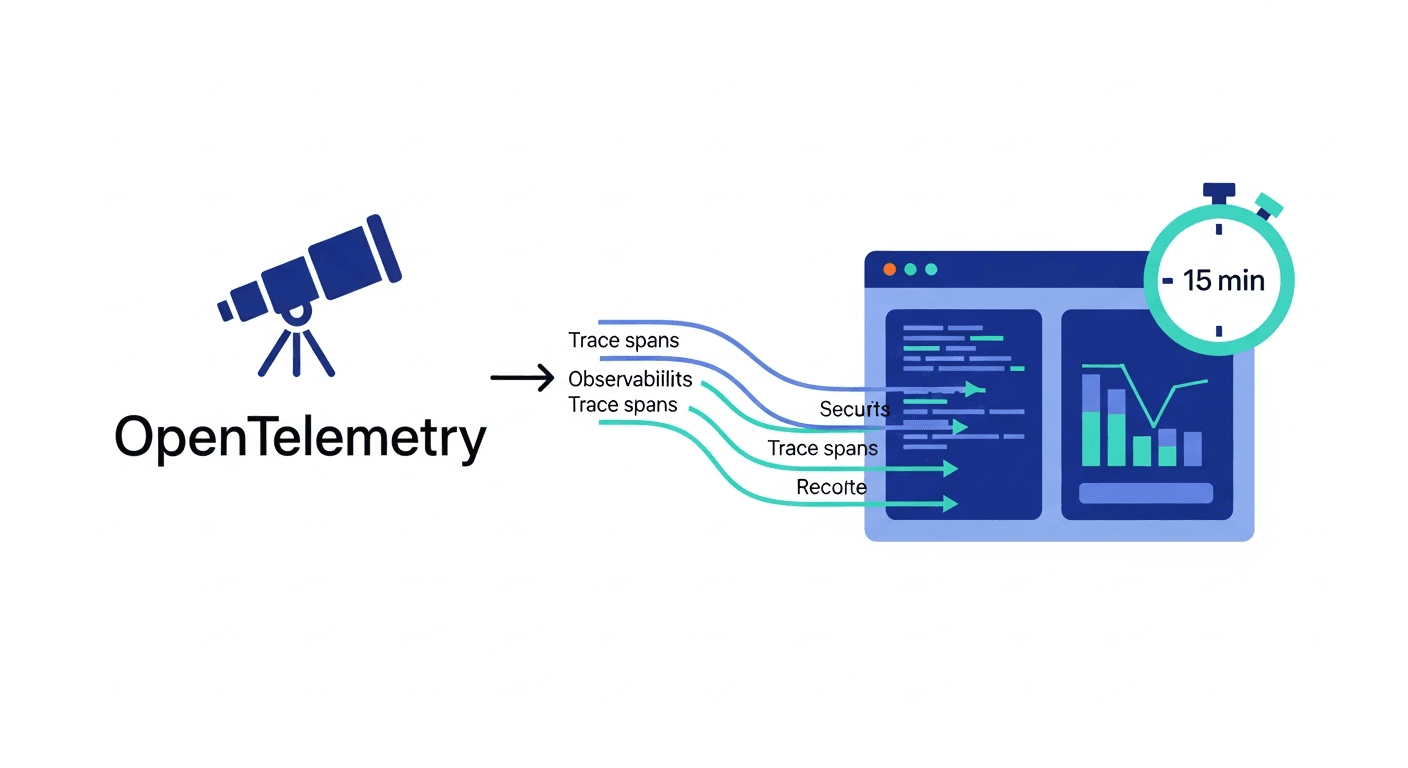
Adding Security Observability to Your App in 15 Minutes with OpenTelemetry
Most developers treat observability and security as separate concerns. You instrument your app with traces and metrics for performance monitoring, and you bolt on a WAF or SAST tool for security. The result is two disconnected systems that each tell half the story — your observability stack knows how your app behaves but ignores threat signals, and your security tools watch the perimeter but are blind to internal application behavior.
Security observability eliminates this gap. By feeding your existing OpenTelemetry traces into a platform built for security analysis, every HTTP request, database query, and outbound call becomes a data point for threat detection. You don't need a separate agent, a new SDK, or a dedicated security pipeline. You just point your traces at SecureNow and start seeing what your application is actually doing — from a security perspective.
This guide walks you through the entire setup in under 15 minutes: registering your application, instrumenting a Node.js/Express app with OpenTelemetry, verifying trace flow, and running your first security analysis.
Prerequisites
Before you start, make sure you have:
- A running Node.js application (this guide uses Express, but the concepts apply to any framework)
- Node.js 16+ installed
- A SecureNow account (free tier works for this tutorial)
- Basic familiarity with npm and environment variables
If you're running Python, Java, Go, or another language, the SecureNow side is identical — only the OpenTelemetry SDK installation differs. The OpenTelemetry documentation covers every supported language.
Step 1: Register Your Application in SecureNow
Every application in SecureNow gets a unique UUID v4 API key that identifies its trace data. Creating an application takes about 30 seconds.
- Log into SecureNow and navigate to Applications
- Click Create Application
- Enter your application name (e.g.,
user-service-prod) - Optionally add expected hosts — this helps SecureNow validate that traces are coming from legitimate sources
- Choose a ClickHouse instance — use the shared default instance to get started, or bind a dedicated instance if you have one configured
- Click Create and copy the generated API key
Your API key looks something like a1b2c3d4-e5f6-7890-abcd-ef1234567890. Keep it handy — you'll need it when configuring the OpenTelemetry exporter.
The application starts in an unprotected state. SecureNow checks whether it has received traces in the last 15 minutes to determine protection status. Once traces start flowing, the status flips to protected — a green indicator that confirms your instrumentation is working.
Step 2: Install OpenTelemetry Dependencies
OpenTelemetry's Node.js SDK uses a modular architecture. You need the core SDK, the auto-instrumentation package, and the OTLP exporter. Install everything in one command:
npm install @opentelemetry/sdk-node \
  @opentelemetry/auto-instrumentations-node \
  @opentelemetry/exporter-trace-otlp-http \
  @opentelemetry/resources \
  @opentelemetry/semantic-conventions
The auto-instrumentations-node package is the heavy lifter here. It automatically instruments Express, HTTP, pg, mysql2, redis, ioredis, mongodb, grpc, and dozens of other libraries — no manual span creation required. The full list of supported instrumentations is extensive.
Step 3: Create the Instrumentation File
OpenTelemetry instrumentation must initialize before your application code loads. Create a tracing.js file in your project root:
const { NodeSDK } = require('@opentelemetry/sdk-node');
const { getNodeAutoInstrumentations } = require('@opentelemetry/auto-instrumentations-node');
const { OTLPTraceExporter } = require('@opentelemetry/exporter-trace-otlp-http');
const { Resource } = require('@opentelemetry/resources');
const { ATTR_SERVICE_NAME } = require('@opentelemetry/semantic-conventions');

const traceExporter = new OTLPTraceExporter({
  url: process.env.OTEL_EXPORTER_OTLP_ENDPOINT || 'http://localhost:4318/v1/traces',
  headers: {
    'x-api-key': process.env.SECURENOW_API_KEY,
  },
});

const sdk = new NodeSDK({
  resource: new Resource({
    [ATTR_SERVICE_NAME]: process.env.SERVICE_NAME || 'my-app',
  }),
  traceExporter,
  instrumentations: [
    getNodeAutoInstrumentations({
      '@opentelemetry/instrumentation-http': {
        recordException: true,
      },
      '@opentelemetry/instrumentation-express': {
        requestHook: (span, reqInfo) => {
          span.setAttribute('http.client_ip',
            reqInfo.request.headers['x-forwarded-for'] ||
            reqInfo.request.socket.remoteAddress
          );
        },
      },
    }),
  ],
});

sdk.start();

process.on('SIGTERM', () => {
  sdk.shutdown().then(() => process.exit(0));
});
A few things worth noting in this configuration:
- Service name is set via the
ATTR_SERVICE_NAMEresource attribute. This is how SecureNow identifies which application generated each trace. - Client IP capture is configured through the Express instrumentation's
requestHook. By default, OpenTelemetry doesn't capture client IPs — this hook extracts it fromX-Forwarded-For(for apps behind a proxy) or the socket's remote address. Client IPs are essential for SecureNow's IP investigation and threat detection features. - The
x-api-keyheader authenticates your traces with the ingestion endpoint. This is the API key from Step 1. - Graceful shutdown ensures spans are flushed before the process exits.
Step 4: Configure Environment Variables
Set the required environment variables. In development, a .env file works fine:
SECURENOW_API_KEY=a1b2c3d4-e5f6-7890-abcd-ef1234567890
OTEL_EXPORTER_OTLP_ENDPOINT=https://ingest.securenow.ai
SERVICE_NAME=user-service
For production, use your platform's secrets management — Kubernetes secrets, AWS Parameter Store, or whatever your deployment pipeline supports. Never commit API keys to version control.
Step 5: Start Your Application with Instrumentation
The key step: load the tracing file before your application code using Node's --require flag:
node --require ./tracing.js app.js
Or add it to your package.json scripts:
{
  "scripts": {
    "start": "node --require ./tracing.js app.js",
    "dev": "nodemon --require ./tracing.js app.js"
  }
}
That's it for the application side. Every HTTP request your Express app handles now generates a trace with spans for the HTTP layer, route handlers, middleware, database calls, and any outbound HTTP requests.
Step 6: Verify Traces in SecureNow
Generate some traffic against your application — hit a few endpoints, trigger a login flow, make some API calls. Then open SecureNow and check two things:
Protection Status
Navigate to your application in the Applications list. Within 15 minutes of your first trace arriving, the protection status indicator turns green. This confirms that:
- Your OpenTelemetry exporter is correctly configured
- Traces are reaching the ingestion endpoint
- Data is being stored in ClickHouse
- SecureNow is actively monitoring your application
If the status remains red after 15 minutes, check the common issues: incorrect API key, wrong exporter URL, network connectivity between your app and the ingestion endpoint, or a firewall blocking outbound HTTPS.
Trace Explorer
Open the Trace Explorer from the sidebar and select your application. You should see traces populating in near-real-time. Each trace shows:
- Timestamp — when the request was received
- Duration — total request processing time
- HTTP method and URL — the endpoint that was hit
- Status code — the HTTP response code
- Client IP — the source IP (if you configured the
requestHookin Step 3) - Span count — how many operations the request triggered
Use the filters to narrow by time range, status code, IP address, or URL pattern. The Trace Explorer is your primary interface for understanding what's happening in your application right now.
Click any trace to see its full span tree — every operation your application performed to handle that request, displayed in tree, Gantt, or timeline view. Database queries, cache lookups, outbound API calls — it's all there.
Step 7: Run Your First AI Trace Analysis
This is where security observability gets interesting. Select a trace that looks non-trivial — one with multiple spans, especially if it includes database queries or outbound HTTP calls.
Click the AI Analysis button on the trace detail page. SecureNow sends the complete span tree to its AI security engine, which evaluates:
- Whether database spans contain dynamic SQL that could indicate injection vulnerabilities
- Whether outbound HTTP spans connect to suspicious or unexpected destinations
- Whether authentication and authorization flows follow secure patterns
- Whether error spans leak sensitive information
- Whether timing patterns suggest brute-force or enumeration attempts
The analysis returns a structured security report with findings categorized by severity, specific span references, and remediation guidance. Even on a healthy trace, the AI often identifies hardening opportunities — parameterized query suggestions, missing rate limiting, or overly permissive CORS configurations.
For a deeper dive into what the AI analyzes and how it detects specific attack patterns, see AI-Powered Trace Analysis: Detecting Security Issues Hidden in Application Spans.
Step 8: Set Up Your First Alert Rule
Now that traces are flowing, set up a basic alert rule to detect suspicious activity automatically. A good starter rule monitors for IPs generating high rates of client errors — a common indicator of scanning, brute-force, or fuzzing activity.
Navigate to Alert Rules and click Create Rule. Configure it with the following SQL:
SELECT
  attribute_string_peer_ip AS ip,
  count(*) AS total_requests,
  countIf(response_status_code >= 400 AND response_status_code < 500) AS error_count,
  round(error_count / total_requests * 100, 2) AS error_rate
FROM signoz_traces.distributed_signoz_index_v2
WHERE timestamp >= now() - INTERVAL 15 MINUTE
  AND serviceName IN (__USER_APP_KEYS__)
GROUP BY ip
HAVING error_count > 50 AND error_rate > 60
ORDER BY error_count DESC
This query identifies IPs with more than 50 client errors and an error rate above 60% in the last 15 minutes. The __USER_APP_KEYS__ placeholder automatically scopes the query to your registered applications.
Set the schedule to run every 15 minutes, configure a 15-minute throttle to prevent duplicate notifications, and add your preferred notification channel — Email, Slack, or in-app.
For more alert rule patterns and advanced configuration, check out From Traces to Security Alerts: A Developer's Guide to Threat Detection.
Adding Custom Span Attributes for Richer Security Data
The auto-instrumentation captures a solid baseline, but you can enrich your traces with security-relevant attributes using manual spans. Here are a few high-value additions:
const { trace } = require('@opentelemetry/api');

function authenticateUser(req, res) {
  const span = trace.getActiveSpan();

  span.setAttribute('auth.method', 'jwt');
  span.setAttribute('auth.user_id', req.user?.id || 'anonymous');
  span.setAttribute('auth.role', req.user?.role || 'none');

  if (req.headers['x-forwarded-for']) {
    span.setAttribute('http.client_ip', req.headers['x-forwarded-for'].split(',')[0].trim());
  }

  // Your authentication logic here
}
Adding auth.method, auth.user_id, and auth.role as span attributes lets SecureNow's AI analysis detect privilege escalation patterns and authorization bypass attempts. Client IP attribution enables IP investigation and geographic analysis.
What You Can Do Next
With traces flowing into SecureNow, you now have access to the full platform:
- Trace Explorer — search and filter traces by IP, time range, status code, URL pattern, and more. Export results to CSV for offline analysis.
- AI Trace Analysis — trigger security analysis on any trace to detect injection, SSRF, path traversal, and other attack patterns hidden in spans.
- Forensics — ask natural language questions about your trace data ("Show me all 5xx errors from Chinese IPs in the last 24 hours") and get instant results. Save queries to your library for reuse.
- Alert Rules — build SQL-based detection rules for automated threat monitoring. Start with the basics and add more specific rules as you understand your traffic patterns.
- API Map — discover all endpoints your application exposes, including shadow APIs and undocumented routes, through AI-enhanced analysis of your trace data.
- IP Investigation — investigate suspicious IPs with AI-powered verdicts, risk scores, and SecureNow AI IPDB integration.
For a complete walkthrough of the security monitoring workflow, see Application Security Monitoring Workflow.
Troubleshooting Common Issues
Traces not appearing in SecureNow:
- Verify your
OTEL_EXPORTER_OTLP_ENDPOINTURL is correct - Confirm the
x-api-keyheader matches your application's API key - Check that your application can reach the ingestion endpoint (test with
curl) - Look for OpenTelemetry SDK error messages in your application logs
Missing client IPs:
- Ensure the Express
requestHookis configured as shown in Step 3 - If behind a load balancer, confirm
X-Forwarded-Forheaders are being passed through - Check your proxy configuration — some reverse proxies strip client IP headers
High span volume:
- Use sampling strategies to reduce volume while maintaining security visibility
ParentBasedSamplerwith aTraceIdRatioBasedroot sampler is a good starting point- Avoid sampling below 10% in security-sensitive applications — low sample rates create detection blind spots
Protection status stays red:
- The 15-minute window must contain at least one trace
- Verify your service name matches the application registration
- Check ClickHouse instance connectivity if using a dedicated instance
From Monitoring to Security Posture
What you've built in 15 minutes is more than application monitoring — it's a security observability pipeline. Every request your application handles generates structured data that SecureNow continuously analyzes for threats. You didn't need to install a WAF, configure a SIEM, or hire a SOC team. You took the OpenTelemetry traces your app was already capable of generating and gave them a security purpose.
The natural next step is building detection rules tailored to your application's threat model. Start with the basic error-rate alert from Step 8, then add rules for specific attack patterns as you learn what your traffic looks like. The developer's guide to threat detection covers the essential alert rules every application should have.
Security observability is not a replacement for secure coding practices, dependency management, or infrastructure hardening. It's the layer that tells you when those defenses fail — and gives you the trace data to understand exactly how.
Frequently Asked Questions
Do I need to modify my application code?
Minimal changes are required. OpenTelemetry provides auto-instrumentation for most frameworks (Express, Next.js, Django, Spring Boot, etc.) that captures traces without manual span creation.
What languages does SecureNow support?
SecureNow works with any application that produces OpenTelemetry traces — JavaScript/Node.js, Python, Java, Go, .NET, Ruby, PHP, and more.
How quickly will I see security data after setup?
Once traces are flowing, SecureNow shows protection status within 15 minutes. You can immediately search traces, run forensic queries, and set up alert rules.
Does OpenTelemetry instrumentation affect application performance?
OpenTelemetry is designed for production use with minimal overhead. Sampling strategies let you balance observability coverage with performance requirements.
Frequently Asked Questions
Do I need to modify my application code?
Minimal changes are required. OpenTelemetry provides auto-instrumentation for most frameworks (Express, Next.js, Django, Spring Boot, etc.) that captures traces without manual span creation.
What languages does SecureNow support?
SecureNow works with any application that produces OpenTelemetry traces — JavaScript/Node.js, Python, Java, Go, .NET, Ruby, PHP, and more.
How quickly will I see security data after setup?
Once traces are flowing, SecureNow shows protection status within 15 minutes. You can immediately search traces, run forensic queries, and set up alert rules.
Does OpenTelemetry instrumentation affect application performance?
OpenTelemetry is designed for production use with minimal overhead. Sampling strategies let you balance observability coverage with performance requirements.
Recommended reading
Part 1 of the AI Security Auditing series. Set up an AI coding agent to audit your application's security locally — install SecureNow, connect your account, and run your first threat-model pass in minutes.
Jul 24A practical, end-to-end guide to auditing your application's security with an AI coding agent — find vulnerabilities at the code level, build detections at the runtime level, and never upload your codebase to do it.
Jul 24Part 2 of the AI Security Auditing series. Use an AI agent to audit your login, session, MFA, password-reset and magic-link flows for account-takeover paths — then catch the attempts in live traffic.
Jul 23