Real-Time IP Monitoring at Scale: Tracking Thousands of IPs Across Your Infrastructure
Monitor and investigate thousands of IP addresses in real-time with automated threat intelligence enrichment, status tracking, and batch analysis for enterprise security operations.

Real-Time IP Monitoring at Scale: Tracking Thousands of IPs Across Your Infrastructure
Every application connected to the internet generates a constant stream of IP-based interactions. Some of those IPs belong to legitimate users. Others belong to bots, scanners, threat actors, and everything in between. For SOC teams responsible for protecting production environments, the challenge isn't whether suspicious IPs exist—it's whether you can track, enrich, and act on them fast enough to matter.
Traditional SIEM-based IP monitoring often reduces this problem to a log search. You get an alert, pivot to a dashboard, run a query, copy an IP into a third-party lookup tool, and then manually correlate the results. Multiply that by dozens of IPs per incident, and you're looking at hours of analyst time on what should be a straightforward triage workflow.
SecureNow takes a fundamentally different approach. The IP Monitoring dashboard is purpose-built for security operations teams who need to track thousands of IPs across their entire application infrastructure—with automated enrichment, status lifecycle management, and batch analysis built directly into the workflow.
The IP Monitoring Dashboard: Your Central Nervous System
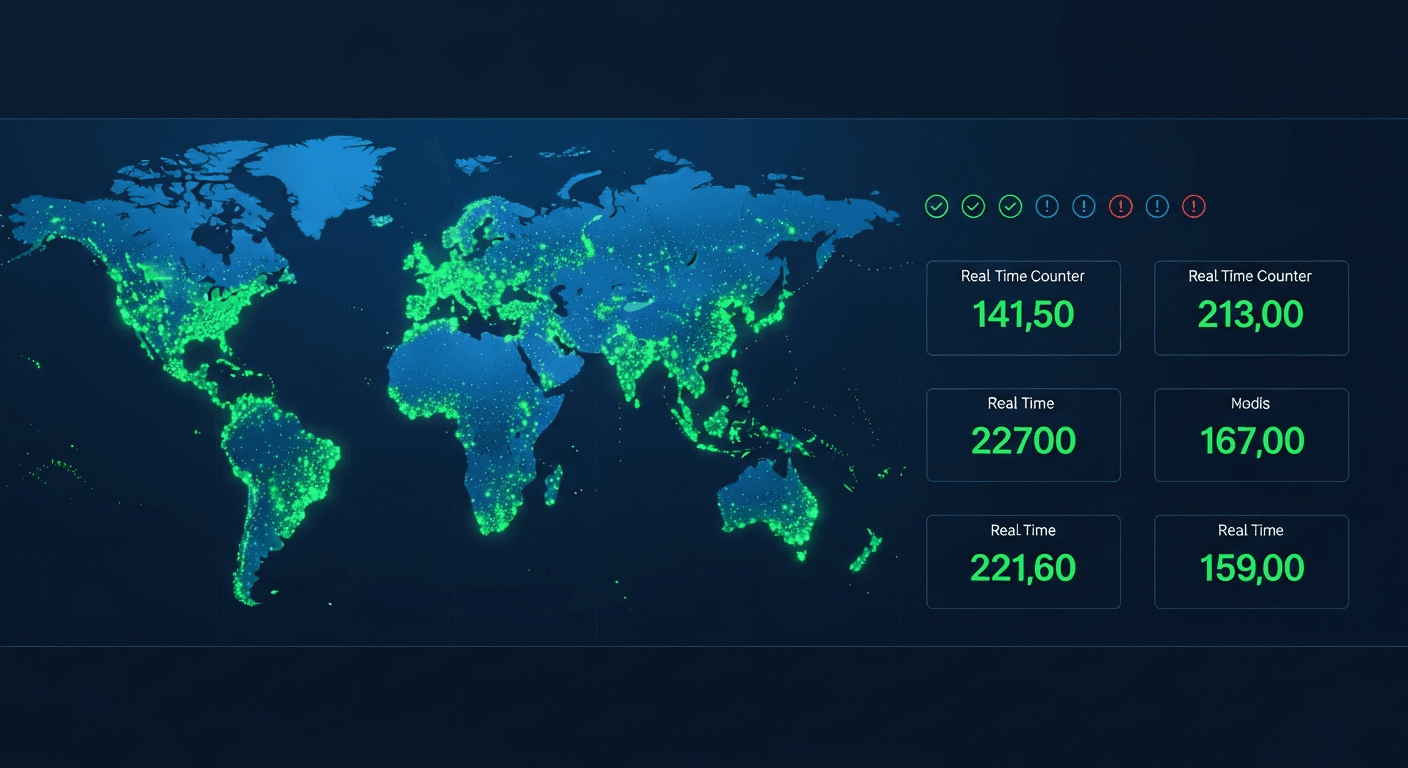
The IP monitoring dashboard is the operational hub where every IP that has interacted with your monitored applications is tracked, enriched, and categorized. Rather than scattering IP intelligence across disconnected tools, SecureNow consolidates everything into a single view that SOC analysts can act on immediately.
When you open the dashboard, you see a paginated list of IPs sorted by relevance. Each row displays the IP address, its current investigation status, the SecureNow AI IPDB confidence score, country of origin, ISP, and timestamps for when the IP was first and last seen in your environment. This isn't a static log—it's a living inventory that updates as new trace data flows in from your applications.
The dashboard supports text search across IP addresses, so you can quickly locate a specific IP or range. More importantly, it supports filtering by investigation status, which is where the real operational power emerges.
The Status Lifecycle: From Open to Resolved
Every IP in SecureNow follows a defined status lifecycle that mirrors how SOC teams actually investigate threats. When an IP first appears, it's assigned the open status, indicating it hasn't been reviewed yet.
From there, analysts can move IPs through a series of statuses:
- Open — New, unreviewed IP. Default state for all newly observed IPs.
- Investigating — An analyst has begun looking into this IP's activity.
- Suspicious — The IP exhibits patterns that warrant continued monitoring but hasn't been confirmed malicious.
- Malicious — Confirmed threat actor IP based on behavior, enrichment data, or AI investigation.
- Clean — Verified legitimate traffic. This IP poses no threat.
- Blocked — The IP has been blocked at the firewall, WAF, or application layer.
- False Positive — Initially flagged but determined to be benign after investigation.
This status system does more than organize your dashboard. It creates an auditable record of every investigation decision, which is critical for compliance, post-incident review, and shift handoffs. When the night shift marks an IP as "investigating," the morning shift knows exactly where things stand without a single Slack message.
The status filter on the dashboard lets you instantly slice your IP inventory. Need to see all IPs currently under investigation? One click. Want to review everything marked malicious in the last week? Filter and sort by last seen. This kind of operational efficiency compounds over time—especially during active incidents when every minute matters.
SecureNow AI IPDB Auto-Enrichment: Intelligence Without the Effort
Manual IP reputation lookups are one of the most time-consuming tasks in a SOC analyst's day. Copy an IP, open a browser tab, paste it into SecureNow AI IPDB, wait for results, mentally note the confidence score, go back to your investigation tool, and repeat for the next IP. For a single IP, it's mildly annoying. For 50 IPs in an active scanning campaign, it's a productivity disaster.
SecureNow eliminates this entirely through automatic SecureNow AI IPDB enrichment. Every IP that appears in your monitoring dashboard is automatically enriched with reputation data, including the SecureNow AI IPDB confidence score, total reports, country, ISP, domain, and usage type. This happens behind the scenes—no manual lookups, no context switching, no rate limit headaches.
The enrichment data is cached with a 14-day TTL, which serves two purposes. First, it ensures you're working with reasonably current intelligence without hammering the SecureNow AI IPDB API. Second, it enables the batch lookup capability that makes large-scale IP analysis practical.
For a deeper dive into how SecureNow leverages SecureNow AI IPDB data throughout the platform, see our guide on SecureNow AI IPDB threat intelligence enrichment.
Batch Lookups: Analyzing IP Campaigns at Scale
Real-world attacks don't come from a single IP. Credential stuffing campaigns, distributed scanning operations, and botnet-driven attacks routinely involve dozens or hundreds of IPs. Investigating them one at a time is not a viable strategy.
SecureNow's batch cache endpoint lets you look up multiple IPs in a single request. The system pulls from the local SecureNow AI IPDB cache, returning enrichment data for every requested IP without hitting external API rate limits. This means you can analyze an entire campaign's worth of IPs in seconds rather than minutes.
The practical workflow looks like this: you receive a notification grouping 47 IPs that triggered an alert rule. Instead of clicking through each one, you can view the full list with enrichment data already populated. Sort by confidence score to prioritize the most likely threats. Filter by country to identify geographic clustering. Check usage types to spot hosting providers commonly associated with attack infrastructure.
This batch capability transforms IP analysis from a serial, analyst-bound process into a parallel, data-driven one. It's the difference between spending an hour on a scanning campaign and spending five minutes.
Rich Metadata: Geo, ASN, ISP, and Beyond
Raw IP addresses are nearly useless without context. An IP is just a number until you know where it's coming from, who owns the network, and what kind of infrastructure it's running on. SecureNow enriches every monitored IP with a comprehensive metadata profile:
- Geolocation — Country and region data for geographic analysis and anomaly detection.
- ASN (Autonomous System Number) — Identifies the network operator, which helps distinguish between residential ISPs, cloud hosting providers, and known bulletproof hosting services.
- ISP — The internet service provider associated with the IP, useful for identifying traffic from hosting companies frequently used in attacks.
- Domain — The reverse DNS domain associated with the IP, if available.
- Usage Type — Classifies the IP as residential, commercial, hosting, CDN, or other categories. Hosting and data center IPs accessing consumer-facing login endpoints are a classic red flag.
- Tor Exit Node Detection — Flags IPs that are known Tor exit nodes, which are frequently used to anonymize attack traffic.
- Proxy Detection — Identifies IPs associated with known proxy services.
- VPN Detection — Flags IPs belonging to commercial VPN providers.
This metadata isn't just informational—it's operationally actionable. When you see a cluster of IPs from the same ASN hitting your authentication endpoints, all classified as "hosting" usage type, that's a pattern that should immediately elevate your investigation priority. When an IP is flagged as a Tor exit node with a high SecureNow AI IPDB confidence score, the context practically writes the investigation narrative for you.
Per-IP Investigation Details and Comments
Clicking into any IP on the monitoring dashboard opens a detailed investigation view. Here you see the complete metadata profile, the full SecureNow AI IPDB enrichment data, and—critically—the investigation history.
The comments system lets analysts attach notes directly to an IP. This turns each IP record into a collaborative investigation artifact. One analyst might note, "Seen scanning /admin endpoints across three applications," while another adds, "Same ASN as IPs from last month's brute force campaign." These comments persist across sessions and are visible to anyone who views the IP, creating institutional knowledge that survives shift changes and analyst turnover.
The first seen and last seen timestamps provide temporal context that's essential for understanding whether an IP is part of an ongoing campaign or a one-time scanner. An IP that was first seen three weeks ago and last seen five minutes ago tells a very different story than one that appeared once and never returned.
For IPs that warrant deeper investigation, SecureNow's AI-powered investigation can analyze the IP's behavior across your trace data, correlate it with threat intelligence, and deliver an automated verdict with confidence scoring and recommended actions.
Filtering, Pagination, and Operational Efficiency
At scale, the difference between a usable dashboard and an unusable one comes down to filtering and navigation. SecureNow's IP monitoring dashboard is designed for environments where thousands of IPs are being tracked simultaneously.
Pagination ensures the dashboard remains responsive regardless of how many IPs are in your inventory. You're never waiting for a massive table to render or scrolling through an endless list. The interface loads quickly and navigates smoothly, even when you're tracking tens of thousands of IPs across multiple applications.
The combination of text search and status filtering creates a powerful query interface. Common operational queries become trivial:
- "Show me all malicious IPs" — Filter by status: malicious.
- "Find IPs from Russia that are currently under investigation" — Filter by status: investigating, search or sort by country.
- "What new IPs appeared today?" — Sort by first seen, descending.
- "Which blocked IPs are still sending traffic?" — Filter by status: blocked, sort by last seen.
These aren't hypothetical scenarios—they're the exact queries SOC analysts run dozens of times per shift. Making them fast and frictionless isn't a nice-to-have; it's a prerequisite for effective security operations.
Real-World Example: Monitoring a Distributed Scanning Campaign
Let's walk through a realistic scenario. Your alert rules detect a spike in 404 responses across your public-facing API. The notification groups 83 unique IPs that triggered the rule in the last hour.
You open the IP monitoring dashboard and filter by the IPs associated with this notification. The auto-enrichment data is already populated. Immediately, you notice a pattern:
- 61 of the 83 IPs are classified as "hosting" usage type.
- 44 are from three ASNs commonly associated with cloud hosting providers used for scanning.
- 12 have SecureNow AI IPDB confidence scores above 80%, with existing reports for port scanning and web application attacks.
- 3 are flagged as known proxy services.
You mark the 12 high-confidence IPs as malicious and update their status to blocked. The 44 hosting-provider IPs with moderate confidence scores get marked as suspicious for continued monitoring. The remaining IPs—mostly residential with low confidence scores—you mark as investigating to review after the immediate triage.
Using the batch enrichment data, you draft a quick incident summary. The comments system lets you attach your findings to each relevant IP. When your colleague picks up the investigation next shift, they have full context without needing a verbal handoff.
The entire triage took 15 minutes. Without centralized IP monitoring, the same process—manual lookups, spreadsheet tracking, Slack-based handoffs—would have taken hours.
Integrating IP Monitoring Into Your SOC Workflow
IP monitoring doesn't exist in isolation. It's most powerful when integrated into a broader detection and response workflow. In SecureNow, the IP monitoring dashboard connects directly to the notification triage system, AI investigation capabilities, and forensics query engine.
When a notification fires, the associated IPs are automatically linked. You can pivot from a notification to the IP dashboard, investigate individual IPs, trigger AI analysis, and then return to the notification to update its status—all within a single workflow. There's no need to export data, switch tools, or maintain separate tracking systems.
For teams building mature security operations programs, this integration means your IP monitoring improves over time. IPs that were investigated and marked as malicious in previous incidents inform future triage. Patterns identified through batch analysis become the basis for new alert rules. The institutional knowledge captured in IP comments becomes a lightweight threat intelligence database specific to your environment.
Best Practices for IP Monitoring at Scale
Based on patterns we've observed across SOC teams using SecureNow, here are practices that consistently improve IP monitoring outcomes:
Establish status conventions. Agree as a team on what each status means and when to transition between them. Document the criteria for marking an IP as malicious versus suspicious. Consistency across analysts prevents confusion and ensures your status filters produce reliable results.
Use batch analysis before individual investigation. When a notification groups multiple IPs, start with the batch view. Sort by confidence score and usage type to identify the highest-priority targets. Investigate individually only after the batch triage narrows the field.
Leverage first seen / last seen patterns. IPs that persist over long periods are qualitatively different from one-time scanners. Persistent IPs with escalating activity deserve more attention and higher-priority investigation.
Add comments liberally. Every observation, hypothesis, or finding you attach to an IP saves future investigation time. Think of comments as writing notes to your future self—or to the analyst who picks up the case after you.
Review blocked IPs periodically. Blocked IPs that continue generating traffic may indicate an incomplete block or an attacker rotating through a shared hosting provider. Periodic review of the blocked status filter can surface these gaps.
Conclusion
Real-time IP monitoring at scale isn't about collecting more data—it's about making that data actionable at the speed your SOC team operates. SecureNow's IP monitoring dashboard combines automated enrichment, status lifecycle management, batch analysis, and rich metadata into a single interface designed for the realities of modern security operations.
Whether you're triaging a distributed scanning campaign, investigating a credential stuffing attack, or simply maintaining situational awareness across your application infrastructure, the IP monitoring dashboard gives you the visibility and control to operate with confidence.
The combination of SecureNow AI IPDB threat intelligence and AI-powered IP investigation means you're not just tracking IPs—you're building an intelligent, evolving picture of the threats targeting your environment.
Frequently Asked Questions
How many IPs can SecureNow monitor simultaneously?
SecureNow's IP monitoring dashboard handles thousands of IPs across all your applications and notifications, with pagination, filtering, and batch operations for efficient management.
What IP metadata does SecureNow collect?
SecureNow enriches each IP with geolocation, ASN, ISP, country, domain, usage type, Tor/proxy/VPN detection, SecureNow AI IPDB confidence score, first seen, and last seen timestamps.
How does batch IP lookup work?
SecureNow's batch cache endpoint lets you look up multiple IPs in a single request, pulling from the 14-day SecureNow AI IPDB cache for instant results without hitting rate limits.
Can I filter IPs by investigation status?
Yes, the IP monitoring dashboard supports filtering by status (open, investigating, suspicious, malicious, clean, blocked, false_positive) and text search across IP addresses.
Frequently Asked Questions
How many IPs can SecureNow monitor simultaneously?
SecureNow's IP monitoring dashboard handles thousands of IPs across all your applications and notifications, with pagination, filtering, and batch operations for efficient management.
What IP metadata does SecureNow collect?
SecureNow enriches each IP with geolocation, ASN, ISP, country, domain, usage type, Tor/proxy/VPN detection, SecureNow AI IPDB confidence score, first seen, and last seen timestamps.
How does batch IP lookup work?
SecureNow's batch cache endpoint lets you look up multiple IPs in a single request, pulling from the 14-day SecureNow AI IPDB cache for instant results without hitting rate limits.
Can I filter IPs by investigation status?
Yes, the IP monitoring dashboard supports filtering by status (open, investigating, suspicious, malicious, clean, blocked, false_positive) and text search across IP addresses.
Recommended reading
A practical, developer-focused walkthrough of the OWASP API Security Top 10 (2023) — what each risk means, how to spot it in your code, and a free AI prompt to audit your API against all ten.
Jul 17We deployed a real Next.js app to AWS, connected SecureNow traces, logs, body capture, multipart metadata, and firewall, then used an AI-assisted MCP workflow to block the attacker IP.
May 18A prioritized checklist of web development security best practices for Node.js teams, from secure coding to production monitoring and incident response.
May 12